Wearly高端时尚衣橱App UI提案系列
MMrLarus原创
发布者:RadishonCreate a premium mobile app UI case study presentation series for Wearly.
The result should look like a polished Behance / Zcool / Dribbble app UI proposal board, not a fashion e-commerce ad, not a casual screenshot collage, and not a simple app mockup.
The full series should include 4 independent proposal boards:
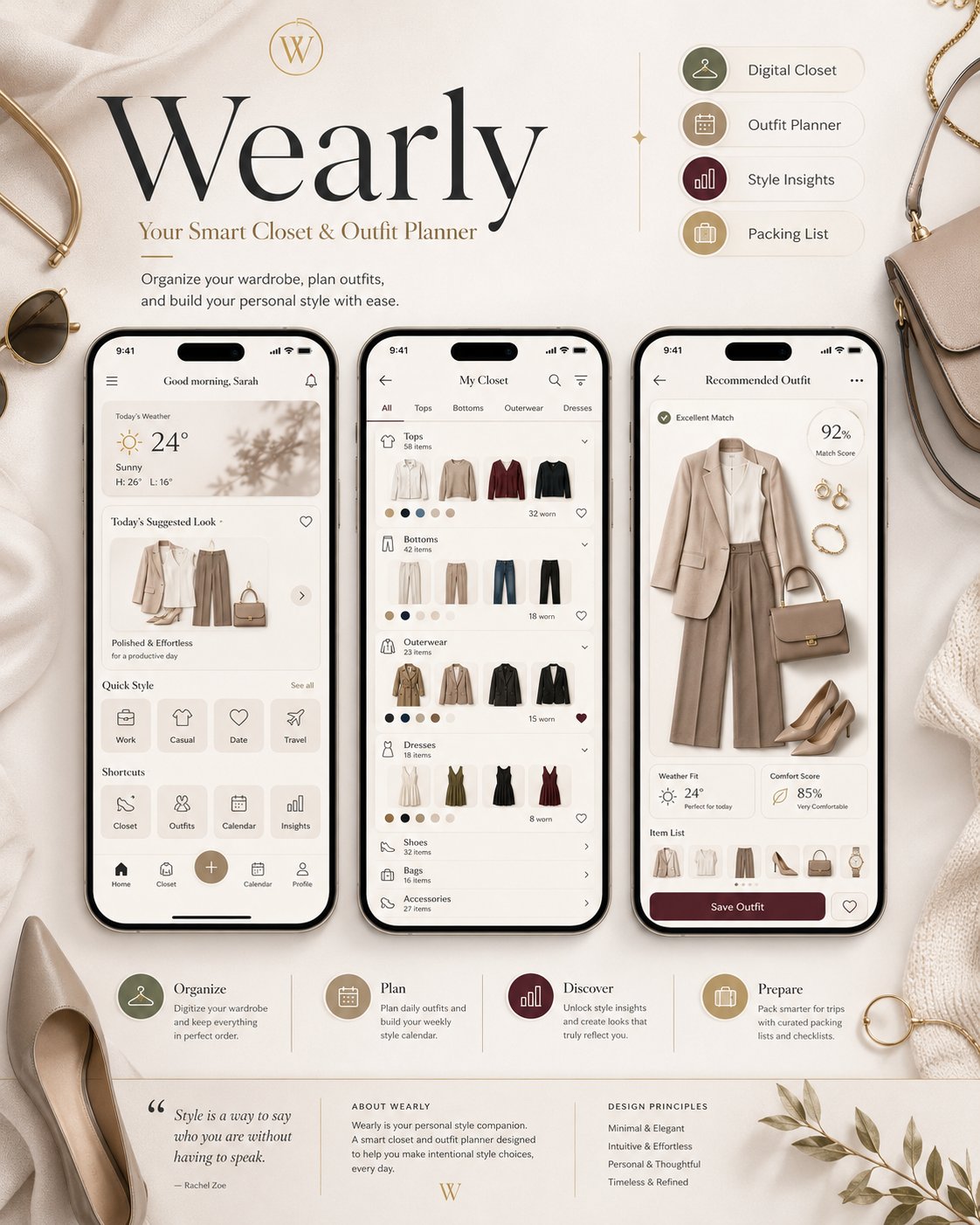
1. Brand Overview
Create a polished cover board for Wearly.
Show the brand title, subtitle, product positioning, feature tags, and 3 smartphone mockups.
Screens to include:
- Home Dashboard
- Digital Closet
- Outfit Recommendation
UI details:
today's weather, today's suggested look, Work / Casual / Date / Travel style categories, Closet / Outfits / Calendar / Insights shortcuts, wardrobe categories, clothing thumbnails, color tags, worn count, full outfit recommendation, match score, weather fit, comfort score, and Save Outfit button.
The board should feel like a premium fashion lifestyle product overview, with elegant typography, refined spacing, luxury fashion props, and a cohesive quiet-luxury visual tone.
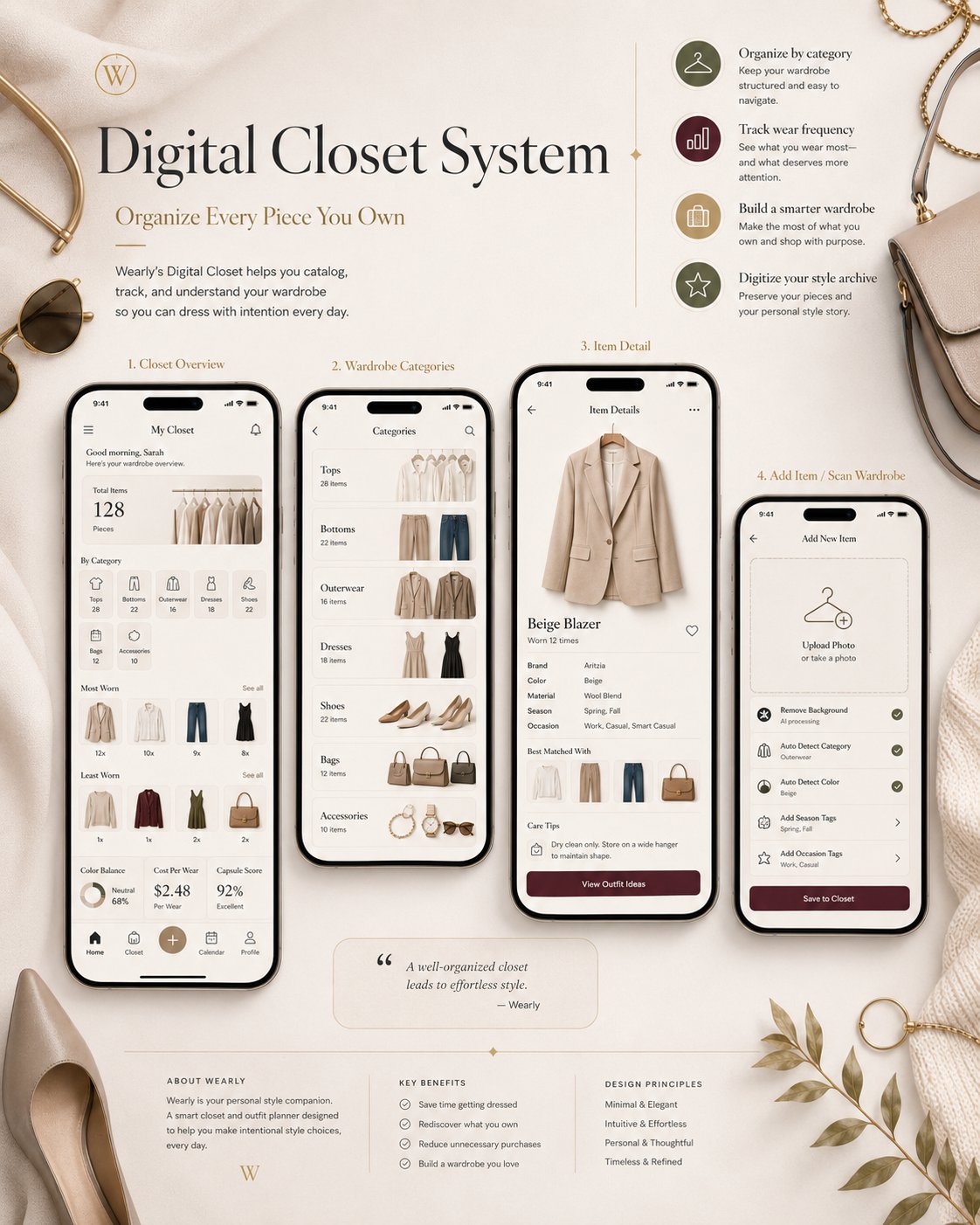
2. Digital Closet System
Create a proposal board focused on wardrobe management.
Screens to include:
- Closet Overview
- Wardrobe Categories
- Item Detail
- Add Item / Scan Wardrobe
UI details:
total items, category distribution, most worn pieces, least worn pieces, color balance, cost per wear, capsule score, Tops / Bottoms / Outerwear / Dresses / Shoes / Bags / Accessories categories, elegant clothing cards, beige blazer item detail, brand, color, material, season, occasion tags, worn count, match suggestions, care tips, Upload Photo, Remove Background, Auto Detect Category, Auto Detect Color, Add Season Tags, Add Occasion Tags.
Add small callouts:
Organize by category, Track wear frequency, Build a smarter wardrobe, Digitize your style archive.
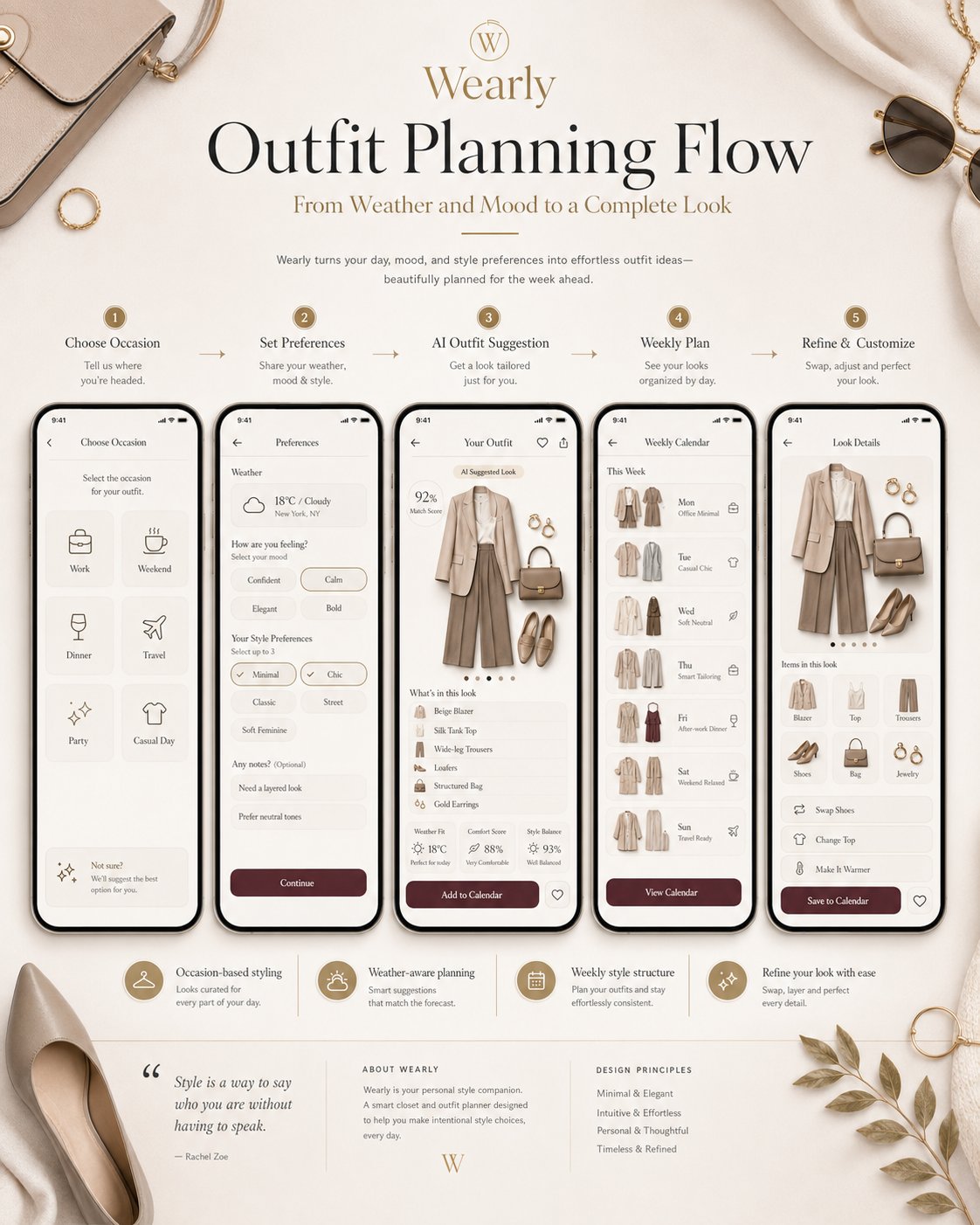
3. Outfit Planning Flow
Create a proposal board showing the core user journey.
Screens to include:
- Choose Occasion
- Weather & Style Preferences
- AI Outfit Suggestion
- Weekly Outfit Calendar
- Look Detail / Swap Items
UI details:
Work, Weekend, Dinner, Travel, Party, Casual Day; 18°C / Cloudy weather card; mood options such as Confident, Calm, Elegant, Bold; style preferences such as Minimal, Chic, Classic, Street, Soft Feminine.
The AI Outfit Suggestion screen should show a complete outfit:
Beige Blazer, Silk Tank Top, Wide-leg Trousers, Loafers, Structured Bag, Gold Earrings.
Also show:
Match Score, Weather Fit, Comfort Score, Style Balance.
The Weekly Outfit Calendar should show Monday to Sunday looks:
Office Minimal, Casual Chic, Soft Neutral, Smart Tailoring, After-work Dinner, Weekend Relaxed, Travel Ready.
The Look Detail screen should include:
Swap Shoes, Change Top, Make It Warmer, Save to Calendar.
Make the product logic clear:
occasion → weather & mood → outfit suggestion → weekly plan → refine look.
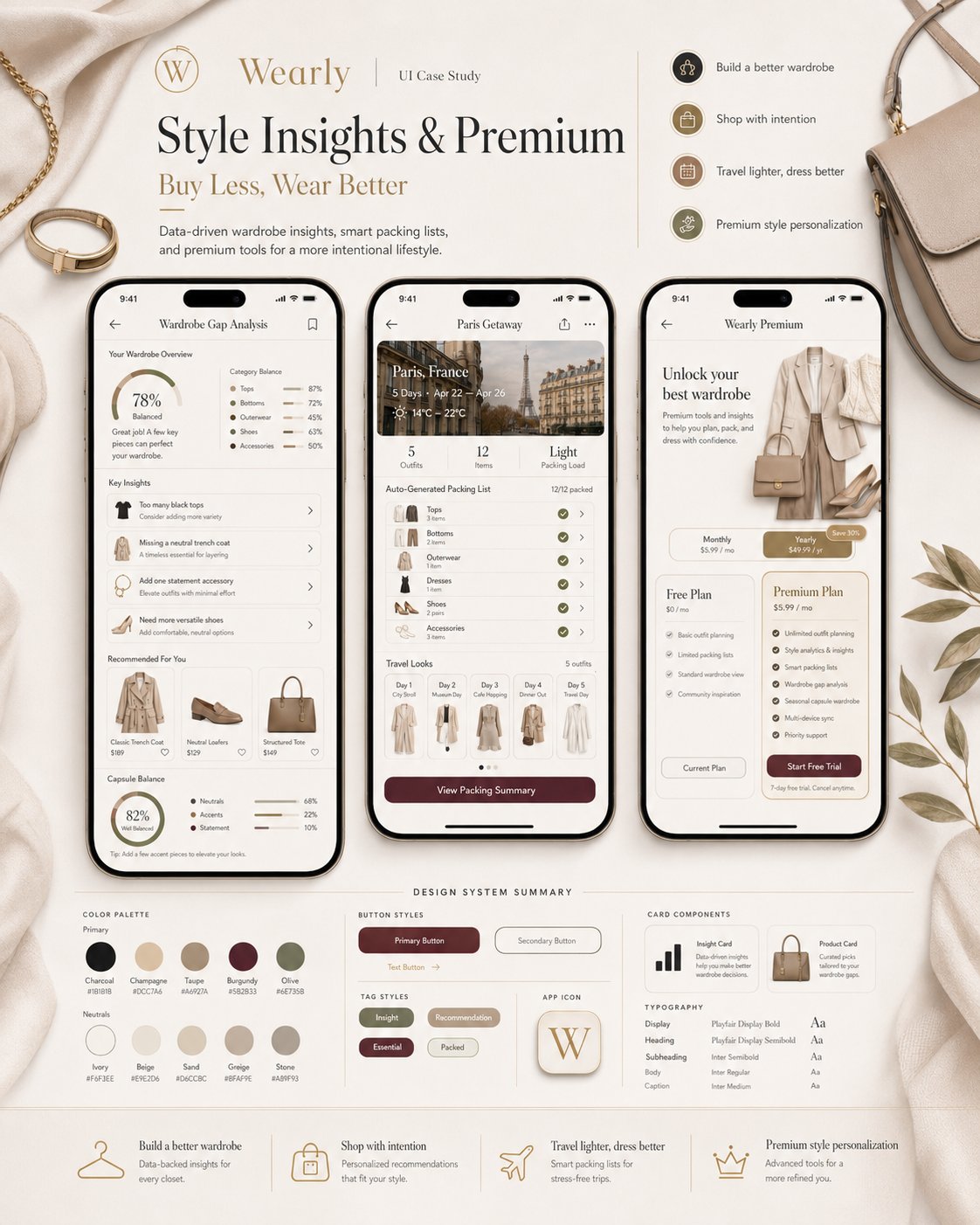
4. Style Insights & Premium
Create the final proposal board focused on insights, monetization, travel utility, and design system.
Screens to include:
- Wardrobe Gap Analysis
- Packing List / Travel Planner
- Premium Plan
UI details:
Too many black tops, Missing a neutral trench coat, Add one statement accessory, Need more versatile shoes, recommended purchases, capsule wardrobe balance, Paris trip, 5 days, 14°C–22°C, 5 outfits / 12 items, auto-generated packing checklist, travel looks by day.
Premium Plan should include:
Free Plan, Premium Plan, Unlimited outfit planning, Style analytics, Smart packing lists, Gap analysis, Seasonal capsule wardrobe, Multi-device sync.
Also add a Design System Summary:
primary colors, secondary colors, button styles, tag styles, app icon, card components, typography hierarchy.
Overall visual requirements:
Use elegant English typography, refined smartphone mockups, clean hierarchy, soft shadows, realistic fashion-oriented visuals, luxury lifestyle props, and consistent Wearly branding.
Avoid:
fashion e-commerce layout, product sale banners, cartoon style, excessive decoration, messy screenshot collage, unreadable UI, random app screens, inconsistent colors, inconsistent phone mockups.